
PDF Perfect
Duration
Ongoing product
Year
2026
My Role
Solo builder: product, UX, engineering and launch
At a glance
- PDF tools, up from 3
- 6
- automated tests
- ~195
- files uploaded to a server
- 0
Technologies Used
The Challenge
Most free PDF tools work the same way: you upload the file, a server processes it, and you download the result. That means sending contracts, CVs, client documents and internal work to servers you know nothing about, often behind sign-ups, limits or watermarks. I wanted a tool I'd trust with my own documents: one where the file never leaves the device.
The Solution
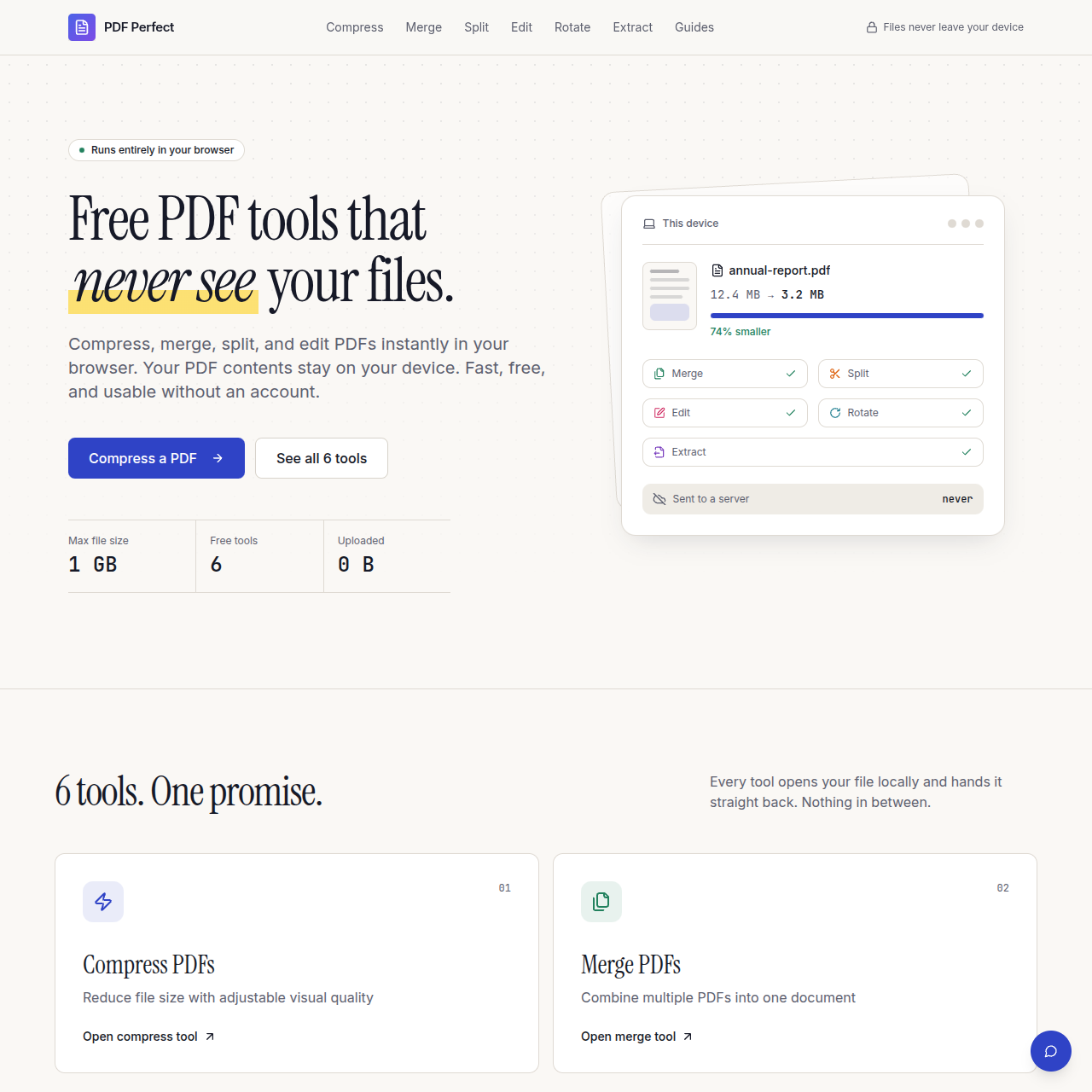
PDF Perfect is a PDF toolkit that runs entirely in the browser. You open a tool, choose your file, and download the result. The file is processed on your device and is never uploaded.
Tools
- Compress, with three quality presets or a target file size (for example "under 2 MB" for a job portal).
- Merge several PDFs, dragging the files into order first.
- Split by page range.
- Edit: add text, draw shapes, rotate or delete pages, with a before-and-after preview.
- Rotate pages permanently and extract selected pages.
How it works
- Merge, split, rotate, extract and edit use pdf-lib, which copies and changes pages without re-encoding them.
- Compression runs in a Web Worker so the page stays responsive. pdf.js renders each page into an
OffscreenCanvas, the page is saved as a JPEG, and pdf-lib builds a new PDF from those images. Target-size mode tries five settings from best-looking to smallest and returns the first result that fits. - A "How it works" page shows visitors how to check for themselves: turn off Wi-Fi and the tools still work, and the browser's network tab shows no upload.
- Every page is prerendered to static HTML for search engines, and 17 guides cover everyday PDF problems.
Honest limits
Compression turns each page into an image. That works very well for scans and photo-heavy PDFs, but text in the result can't be selected or searched, and very small print looks soft when zoomed in. The site says this plainly and suggests re-exporting text documents from the original app. Tests fail the build if misleading claims such as "without losing quality" or "100% secure" reappear in the copy.
Decisions & Trade-offs
- Process files in the browser, not on a server. This is the whole product: files are never uploaded or stored. The trade-off is that speed depends on the visitor's device, so very large files are slower on low-end phones than they would be on a server.
- Grow the scope slowly. Launch with compress, merge and split done properly, and add rotate, extract and edit only once those were solid.
- A rasterising compressor. The browser has an excellent PDF renderer and a fast JPEG encoder but no full PDF rewriter, so compression works by rendering pages to images. It's great for scans and costs selectable text, and the site says so.
- A simple ladder over a clever search. Target-size mode tries five fixed settings in order. A binary search would need fewer passes, but the ladder is easier to reason about and always returns the best-looking file that fits.
- Collect as little as possible. Analytics records which tools are used, not what's in the files. File names were removed from analytics events once I noticed they could reveal sensitive information.
- Built in public. Progress, bugs and mistakes are shared openly, including the claims I had to take back.
Results
- Live at pdfperfect.org with six tools, grown from three at launch.
- Free, with no sign-up, no watermark and no site-imposed daily limit.
- No file-processing servers, so there's no cost per file.
- About 195 automated tests covering the PDF operations, page selection, target-size compression, internal links and crawlability.
Next Steps
- A compressor that keeps text as text: shrink only the embedded images in documents exported from Word or Google Docs
- Reordering individual pages, and a preview in every tool
- Handling very large files without holding the whole document in memory
- A watermark tool and an installable, offline-ready version of the site